
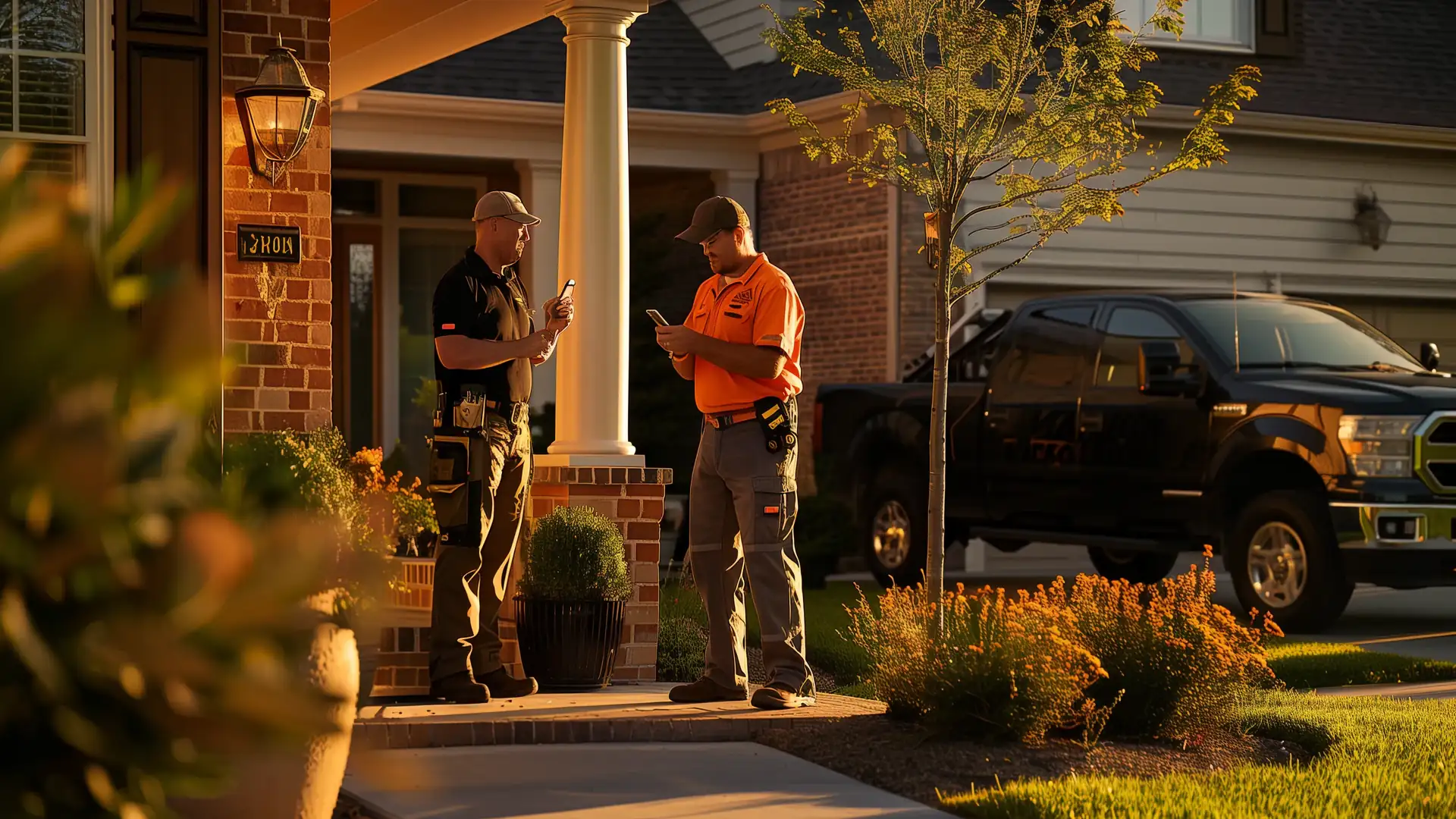
Your Next Customer Might Be Someone You Finished a Job for Last Year
The customer already knows your work. You just need to be the company they remember when the next job comes up.
On this page · 15
- The Customer Said You Did a Great Job. Where's the Review?
- You Finished the Job. Don't Disappear Until Something Breaks.
- What Campaigns Cost
- Referrals From Customers Who Liked the Work
- What Each Campaign Brings You
- What Your Customer Receives
- Campaigns Run Apart From Job Reminders and Everyday Messages
- How Each Campaign Picks Its Customers
- Sell a Yearly Maintenance Plan
- Turn Your Stickers and Brochures Into Booked Visits
- Start With the Customers You Already Have
- See Which Campaigns Bring Work Back
- Who Does What
- What You Get
- Stay in Touch With Every Paid Customer
The job is paid and the crew has moved on to the next one. That customer's furnace needs servicing next fall, and their warranty ends in a year.
Months later, the customer needs more work. If they have forgotten your name, they may search Google and hire someone else.
After a paid job, the Growth Engine can request a review and send timely reminders for services that customer may need again.
The Customer Said You Did a Great Job. Where's the Review?
They thanked your crew before you left. They meant to write a review. Then life got busy.
The Growth Engine sends a review request after the job, so your crew doesn't have to remember to ask every time.
- On the final invoice: a link and a QR code that open your Google review form.
- From your phone at the job site: one tap texts your review link to the customer before your crew leaves.
- 3 days after the job is paid: the automatic review request sends the same link to the customer who meant to leave a review and forgot.
Every customer gets the same review link, happy or not. Google's review policy prohibits asking only the customers you expect to be happy, or discouraging bad reviews, and real reviews, good and bad, are what the next homeowner trusts.
Each review request also asks the customer to call or text you about anything that isn't right. A customer with a problem reaches you directly, and still gets the review link.
A customer calls about a problem with the job. Mark it on their customer record, and every campaign except the review request waits until you mark it settled. Then each one goes out on its usual schedule, counted from that day.
You Finished the Job. Don't Disappear Until Something Breaks.
The customer doesn't track when their work is due, so it goes to whichever contractor they find first. The Growth Engine tracks the date from the job on the customer record.
- Furnace service: a furnace you installed last October gets a tune-up reminder the next fall, before the first cold night.
- Deck maintenance: a deck you built gets a resealing reminder when its finish is due, before the boards start to grey.
- Warranty check: 30 days before the warranty ends, the customer gets an offer to inspect the work and fix anything the warranty covers.
Each spring and fall, a seasonal promotion offers the work your trade does that time of year.
Each reminder links to the open times on your calendar, so a past customer books the next job with you before they ever search.
What Campaigns Cost
The standard sequence, the Launch Campaign, and QR codes for your printed marketing come with the Growth Engine on both plans, at no charge to make or send. On the Pay When Paid Plan, a qualifying job a campaign brings back carries the 8% fee, even when the customer was already yours, and the Own Website Plan has no fee on any job.
Referrals From Customers Who Liked the Work
A neighbour walks over to look at the new deck and asks who built it. Your customer can't remember your company name, so the neighbour searches Google instead.
Two weeks after the job is paid, your customer gets a personal referral link to text or email to anyone who asks. They send it from their own phone, so the neighbour hears about you from someone they trust.
When the neighbour uses the link to reach you, their customer record shows who sent them.
What Each Campaign Brings You
- Repeat work: warranty checks, maintenance reminders, and spring and fall promotions, each timed to the work the customer paid for.
- Referrals: a personal link your customer passes to a neighbour, with the referral recorded on the new customer record.
- Customers from before you joined: a Launch Campaign that asks them for work when the Growth Engine goes live.
- Printed marketing: QR codes on your stickers and brochures that let a homeowner book service or claim your discount.
What Your Customer Receives
Each message comes by email and text, names your business, and goes only to a customer who has already paid you. The schedule starts when the customer's final payment is recorded.
Service messages confirm the job or cover its warranty, and promotions ask for new work, a review, or a referral. A customer who unsubscribes stops getting promotions, and keeps getting service messages.
The standard campaign sequence, in the order each message goes out.
| When it goes out | Campaign | Kind | What the customer receives |
|---|---|---|---|
| The day the job is paid | Thank-you | Service message | A thank-you from your business. |
| 3 days after the job is paid | Google review request | Promotion | A direct link to leave a Google review. |
| 14 days after the job is paid | Referral request | Promotion | A note asking if they know anyone who needs the same work, with a personal link to pass along. |
| 30 days before the warranty ends | Warranty check | Service message | An offer to inspect the work and fix anything the warranty covers. |
| At the service interval for that type of job | Maintenance reminder | Promotion | A reminder that the work is due for service, with a link to book it. |
| Each spring and fall | Seasonal promotion | Promotion | A note on the seasonal work your trade does, like 10% off a spring tune-up, with a link to book it. |
How a Customer Stops Promotions
Every campaign email and text has an unsubscribe link. A customer who uses it is marked Suppress on their customer record, and their promotions stop, as Canada's Anti-Spam Legislation (CASL) requires.
CASL section 6(6) lets your business send a message that confirms a paid job, gives warranty information, or updates a customer on a plan they pay for, after an unsubscribe. A customer who unsubscribes still gets their thank-you, warranty check, and maintenance plan visit reminders.
A message that asks for new work, a review, or a referral is a promotion, even after a job the customer paid for. A customer who unsubscribes no longer gets the furnace tune-up reminder, the review request, or the spring discount offer.
You can also stop promotions for any customer yourself, from their customer record.
Who Can Get a Promotion Under Canada's Anti-Spam Law
- A customer who paid you in the last 2 years, or one who agreed to hear from you. I send promotions to no one else.
- Every message names your business and has an unsubscribe link. A customer who unsubscribes gets no more promotions.
- You confirm consent for customers you bring in from before you joined. Include each customer's last job date, and mark each one who agreed to hear from you, so promotions reach only the customers the law allows.
Campaigns Run Apart From Job Reminders and Everyday Messages
- Campaigns keep a past customer coming back. Service messages about the work they paid for keep going after an unsubscribe, and promotions stop.
- Operational reminders move a job already under way. Visit confirmations, quote reminders, and payment reminders go to the person booking, deciding, or paying on that job. See how job reminders work.
- Your own calls, texts, quotes, and invoices are ordinary business with your customer. None of them is a campaign, so on the Pay When Paid Plan none of them makes an existing customer's job carry the fee.
How Each Campaign Picks Its Customers
- The customer pays in full. The final payment is recorded on the customer record and puts the customer in Nurture.
- The Growth Engine reads the record. The type of work, the date it was paid, the warranty term, and the contact details are already there from the quote and the invoice.
- Each campaign picks its customers. Service messages go to every paid customer, and promotions go to customers in Nurture. The type of work sets which maintenance reminder and seasonal promotion a customer gets, like a tune-up reminder for every furnace install. The payment date and warranty term set when each message goes out.
- The message goes out by email and text. Each one is logged on the customer record.
- The customer replies or books. A reply or booking lands on the same customer record, so your team sees the whole history.
A customer leaves Nurture by unsubscribing, or when you take them out of it on their customer record. Either way, their promotions stop and their service messages keep going.
Sell a Yearly Maintenance Plan
A customer who pays for a tune-up every fall calls you when the furnace quits in January. A maintenance plan turns that yearly visit into booked work.
For HVAC, plumbing, and roofing, you can sell a yearly maintenance plan. You set what it covers, how many visits it includes, and its price, and it goes on the customer record like any other job.
- Visit reminders: when a visit in the plan is due, the customer gets a reminder by email and text, with a link to book it from the open times on your calendar.
- Renewal reminders: before the plan's year ends, the customer gets a reminder to renew it.
- Every reminder is logged on the customer record, so your team sees which visits are booked and which plans are up for renewal.
On the Pay When Paid Plan, a maintenance plan sold to a customer the shared website brought you, or booked from a campaign reply, carries the fee like any other job. See which jobs carry the fee.
Turn Your Stickers and Brochures Into Booked Visits
The water heater you installed six years ago starts leaking. The homeowner can't find your number, so they search Google and call whoever answers first.
I make QR codes for your own printed marketing, like a call-us sticker on the equipment you installed, a brochure, or a door hanger. Each one links back to the Growth Engine, so a scan reaches you instead of a search.
- A sticker code opens the job on file. The homeowner books service from the open times on your calendar, and the visit lands on their customer record. Your crew scans the same sticker on site and opens that customer record, with every past job on it.
- A brochure code applies its discount on its own. You set the offer, like $50 off a spring tune-up, and the Growth Engine adds it to the quote for each homeowner who books from that code.
- Each scan is logged on the customer record, and reporting shows which sticker or brochure brought in paid work.
On the Pay When Paid Plan, a scan counts as a campaign reply. See which jobs carry the fee.
Start With the Customers You Already Have
A new website takes months to show up in search. The customers who already paid you know your work today.
The Launch Campaign asks them first, so your first jobs can arrive in weeks, not months. It comes with both plans.
- You send me your customer list. A CSV file with names, email addresses, phone numbers, and each customer's last job date. When you hand it over, you confirm each customer meets the rules for who can get a promotion.
- I write the campaign for your trade. It offers your seasonal service and a maintenance check, and asks for a referral. You approve it before it goes out.
- It goes out as a promotion when the Growth Engine goes live for you. Each customer gets it by email and text, and each message is logged on their customer record.
- Replies and bookings land on the customer record. You quote and book the work as usual, and reporting shows the paid jobs it brought back.
Once I import them, customers from before you joined get campaigns too, under the same rules as every other customer.
See Which Campaigns Bring Work Back
Reporting follows each campaign from the message to the paid job:
- Sent: how many customers received each campaign, by email and by text.
- Replied or booked: how many customers answered or booked a visit after the message.
- Paid work: the jobs and revenue that came from customers who booked.
- Reviews: new Google reviews after the review requests went out.
- Referrals: the new customers each past customer sent you and the paid work from them, on their own line apart from ads and search.
I use these results to improve the standard sequence for every contractor.
Who Does What
Who handles each part of your customer campaigns.
| Who | Job |
|---|---|
| The Growth Engine | Puts your Google review link and QR code on every final invoice, sends each campaign and maintenance plan reminder by email and text on its schedule, applies QR code discounts, and logs every message and scan on the customer record. |
| Me | Set up the standard sequence for your trade. Write the Launch Campaign. Make QR codes for your stickers and brochures. Bring in your customers from before you joined from a CSV file you send. Keep your Google Business Profile correct. |
| You | Text your review link from the job site, take a customer out of Nurture, mark a customer's problem open and settled, sell and price maintenance plans, set each QR code's discount, put the codes on your printed marketing, and do the warranty and maintenance work. |
| Your customer | Decides whether to leave a review, pass the referral link on, scan a QR code, book the work, or unsubscribe from promotions. |
What You Get
- Your Google review link and QR code on every final invoice, and one tap to text the link from the job site
- A thank-you and Google review request after every paid job
- A referral link for every paid customer to pass on
- Warranty checks, maintenance reminders, and spring and fall promotions timed to each job
- A Launch Campaign to the customers you had before you joined
- QR codes for your stickers and brochures
- Every message, reply, and booking logged on the customer record
Stay in Touch With Every Paid Customer
Your crew finishes the job, your customer pays, and the Growth Engine keeps in touch from there. Reporting then shows the paid work each campaign brings back.
On a one-hour call with me, you see the campaign sequence for your trade. It costs nothing, and no decision is expected.
Common Questions About Customer Campaigns for Contractors
How can contractors get more repeat customers?
Stay in touch after the job is paid. A maintenance reminder when the work is due, a warranty check before coverage ends, and a seasonal promotion each give a past customer a reason to call you instead of searching again.
How can contractors get more referrals from past customers?
Ask once the work has proven itself, and make your name easy to pass on. The Growth Engine's referral request goes out 14 days after the job is paid, with a personal link your customer can text to a neighbour, and each referral is recorded on the new customer record.
Do I pay the fee when my own customer comes back from a campaign?
On the Pay When Paid Plan, yes, once your customer replies to or books from a campaign. The Own Website Plan has no fee on any job. See which jobs carry the fee.
How do my customers stop getting promotions?
Every campaign email and text has an unsubscribe link. A customer who uses it gets no more promotions, like a seasonal discount or a tune-up reminder, and still gets service messages about the work they paid for, like a warranty check or a maintenance plan visit reminder. You can also stop promotions for any customer from their customer record.
Can I sell yearly maintenance plans to my customers?
Yes, for HVAC, plumbing, and roofing. You set what the plan covers and its price. The Growth Engine reminds the customer by email and text when each visit is due and before the plan needs renewing.
How do I get repeat calls from equipment I installed years ago?
Put a QR code sticker on it. I make the code, and a scan lets the homeowner book service from the open times on your calendar, with the visit added to their customer record.
Who sends the referral link to the neighbour?
Your customer does, from their own phone or email. The Growth Engine messages only your own customers and people who contact you, as Canada's Anti-Spam Legislation (CASL) requires.
Can I send campaigns to everyone in an old customer spreadsheet?
Promotions go only to customers who paid you in the last 2 years or agreed to hear from you. You confirm which customers meet that rule when you send the list, and each message has an unsubscribe link. See who can get a promotion.
Does the Growth Engine guarantee five-star Google reviews?
No. Customers decide whether to leave a review and what to write.
What happens if a customer is unhappy with the job?
Your team handles the complaint directly. Each review request asks the customer to call or text you about anything that isn't right, and review requests go out on the same schedule whether or not the customer is happy, and resolving a complaint never depends on changing or removing a review.